Configure the Watchdog
This article consolidates the watchdog guidance in the SF32 SiFli-SDK application notes. SF32 devices provide a watchdog for each processing subsystem: HCPU uses the system watchdog, while LCPU uses the LCPU-subsystem watchdog. The SDK enables the chip watchdog together with the RT-Thread watchdog driver.
| Item | Scope in this article |
|---|---|
| HCPU/LCPU watchdog behavior | Consolidated SF32 behavior from the 52x, 55x, 56x, and 58x guides. |
| 30-second default timeout | Source-guide default; verify the selected family and SDK release in menuconfig. |
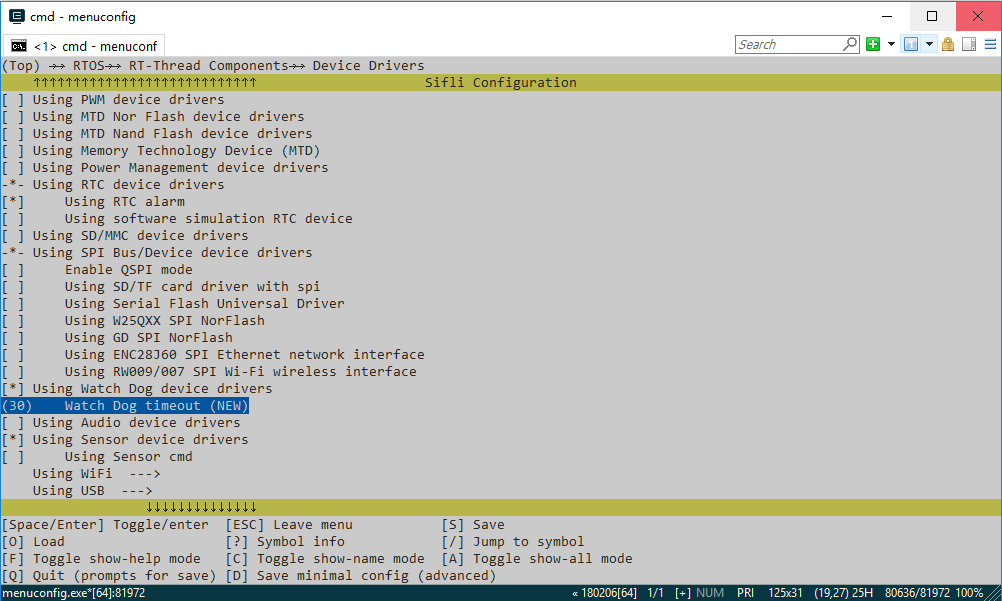
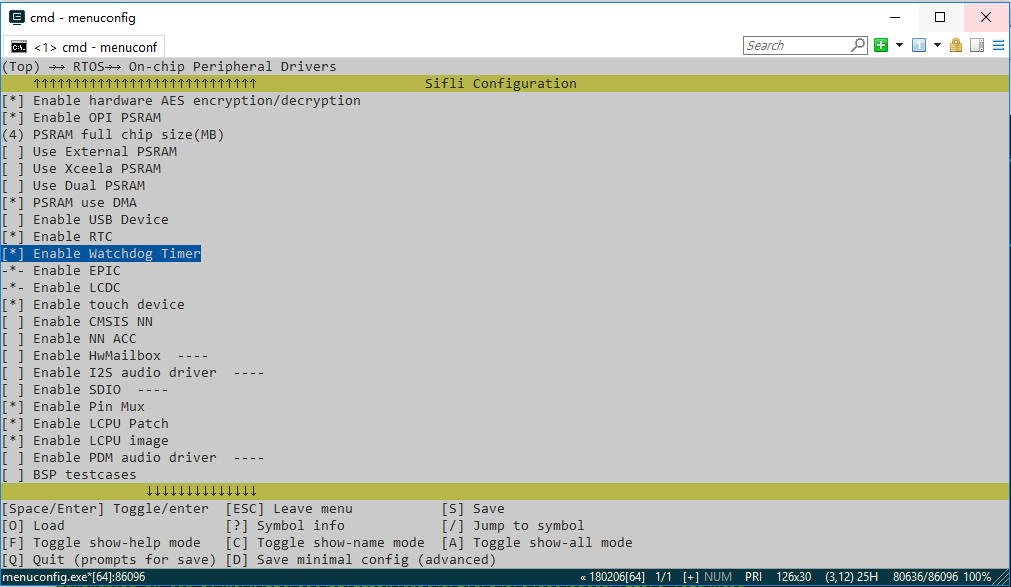
| Menuconfig screenshots | SF32LB52x source examples only; they illustrate menu locations, not a universal path or default. |
Enable and configure the watchdog
Run sdk.py menuconfig in the project directory and enable the watchdog option under the RT-Thread device-driver configuration. The exact menu label can vary with the SDK release; use the target family's source page and confirm the generated rtconfig.h before building.
The default watchdog timeout in the SDK guide is 30 seconds. Use the timeout option in the same menu to select a different value, then keep the generated configuration with the firmware image.
The source figures below show the menu location and timeout field. They are SF32LB52x examples; menu paths and defaults can vary with the target SDK release, so they do not replace checking the project's own menuconfig output.
Feeding policy
The system feeds the watchdog from the RT-Thread IDLE thread. If application threads do not run continuously for longer than the configured timeout, no additional application code is required.
If a high-priority thread must run continuously longer than the timeout, feed the watchdog from that thread with:
Do not add an unconditional feed loop that masks a scheduler stall or a deadlock. The feed point should represent healthy progress in the work being supervised.
Sleep and reset behavior
- Entering
Standbyorhibernatedisables the watchdog; it is enabled again after wake. - In the other sleep modes the watchdog continues running, so the system must wake and feed it before the timeout expires.
- HCPU uses the system watchdog. A timeout restarts the entire chip.
- LCPU uses the LCPU-subsystem watchdog. A timeout first generates an interrupt; the interrupt handler then triggers a software restart of the entire chip.
Validation sequence
- Record the chip family, SDK revision, timeout, feeding owner, and sleep mode.
- Verify that a healthy workload reaches the intended feed point.
- Stop the feed path deliberately and confirm the expected reset scope and boot behavior.
- Repeat from every supported sleep mode, especially
Standbyandhibernate. - Retain the reset observation and any boot-time diagnostic evidence with the product recovery test.